
BAF Volume Profile
Advanced volume profile analysis with POC, Value Area, and session splits
Digital products are non-refundable. Please use the 14-day free trial before purchasing.
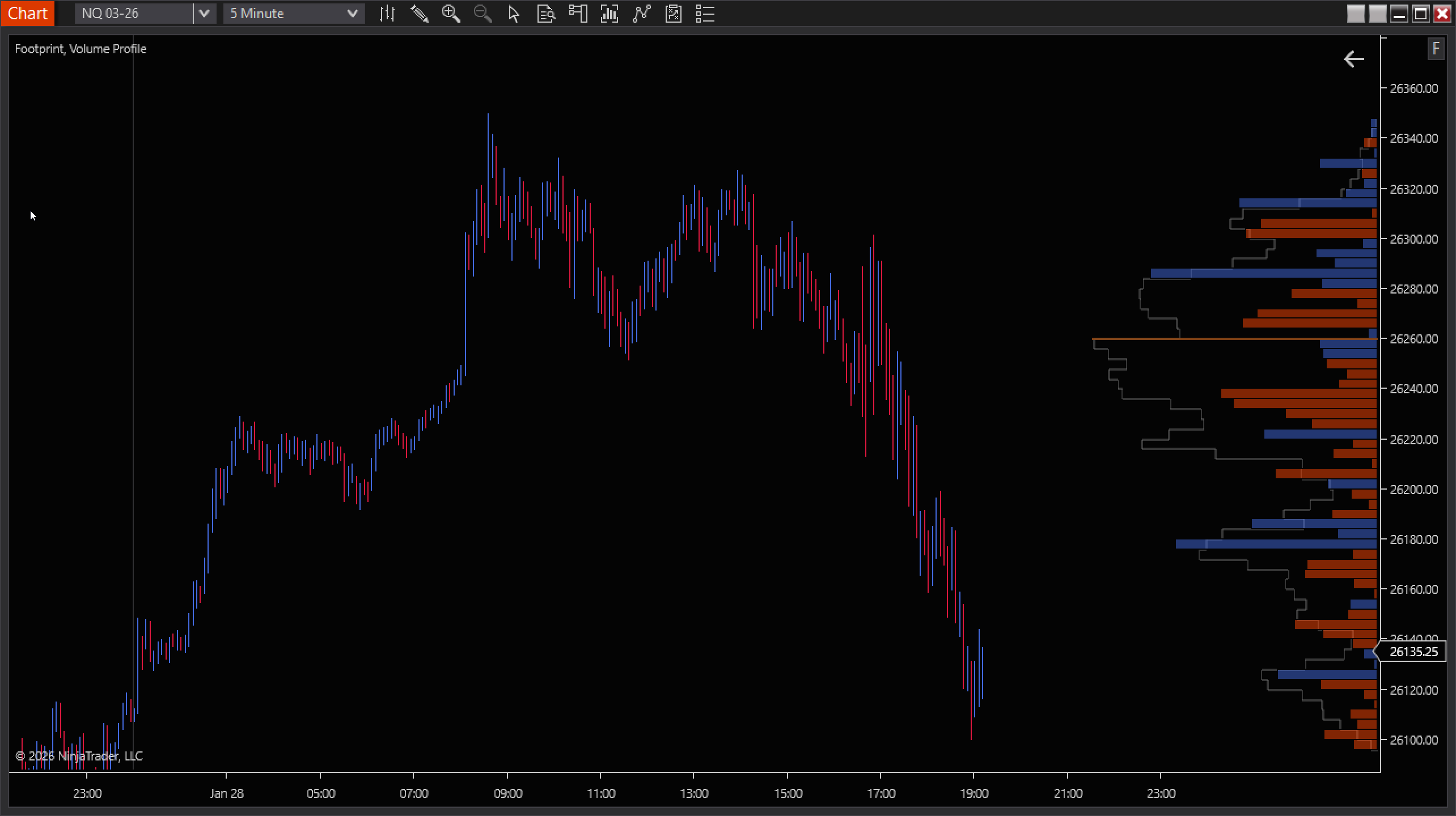
BAF Volume & Delta Profile
A fast, production-ready volume profile indicator for NinjaTrader that supports fixed-session profiles (Daily / RTH / ETH+RTH / Weekly) and a live-updating dynamic profile (Today / Visible Range / N Bars / All Bars). Dial in Total Volume, Delta, or Delta-over-Volume, and keep your chart clean with configurable POC/Value Area features.
What You Get
Fixed Period Profiles
Auto-build multiple profiles anchored to Daily, RTH-only, ETH+RTH (separate), or Weekly periods.
Dynamic Live Profile
One profile that updates in real-time: Today Only, Visible Range, Number of Bars, or All Bars on chart.
Total / Delta / Delta Overlay
Choose Total Volume, Delta-only, or overlay Delta bars on top of Total for fast context.
Pro Controls
Tick Compression, secondary series support (1/5/15 min), minimum row resolution, and buffer bars for smooth scrolling.
🚀 Get Started in Seconds
- Add to your chart: Load ModernVolumeProfile on ES/NQ (works great on 1–5 min and range bars).
- Pick your structure: Enable Fixed Period for session profiles, enable Dynamic for a live profile.
- Select your display: Total, Delta, or Delta Overlay depending on your workflow.
- Turn on VA/POC tools: Show POC, Value Area, and optional VAH/VAL lines/labels/prices.
- Optimize readability: Adjust widths, placement, opacity, and alignment to fit your chart layout.
⚠ Tick Replay vs Standard Mode
- Tick Replay ON: Use when you need precise per-tick delta for today or a few recent sessions. Expect heavier CPU and longer load times on many days.
- Tick Replay OFF: Recommended for loading long history (many days/weeks). Uses bar/secondary-series data for precision.
- Delta behaviour: With Tick Replay OFF, delta is approximate. Not tick-perfect tape analysis.
- Practical tip: For deep backfills and profile mapping, stay in non–Tick Replay. Turn Tick Replay on only when you specifically need tick-accurate delta for recent days.
💪 Why Orderflow Traders Use It
- Clear auction context: where volume accepted (Value Area) vs rejected.
- Fast decision levels: POC and VAH/VAL for rotation targets and break/fail structure.
- Delta-friendly options: see aggression without losing total volume context.
- Layout control: place profiles left/right, percent-of-period widths, or explicit pixel widths.
- Built for active trading workflows—works as context, not “signals.”